Why Choosing the Wrong SSL Certificate CA Can Ruin Your Service
This is a painful story of how I couldn't receive webhook requests from Apple because of an SSL certificate issue. Apple doesn't even bother to tell you what the exact problem is...
The Situation
Apple provides a feature that sends HTTP requests to our service when events like Apple ID withdrawal occur.

By using this, we can implement a feature that automatically puts a user's account into a dormant state when they delete their Apple ID.
I thought it would be as simple as setting the webhook endpoint in the Apple dashboard. But to my horror, no webhook requests were being received at all.
What was strange was that requests were being received perfectly fine on ngrok or other webhook testing sites.
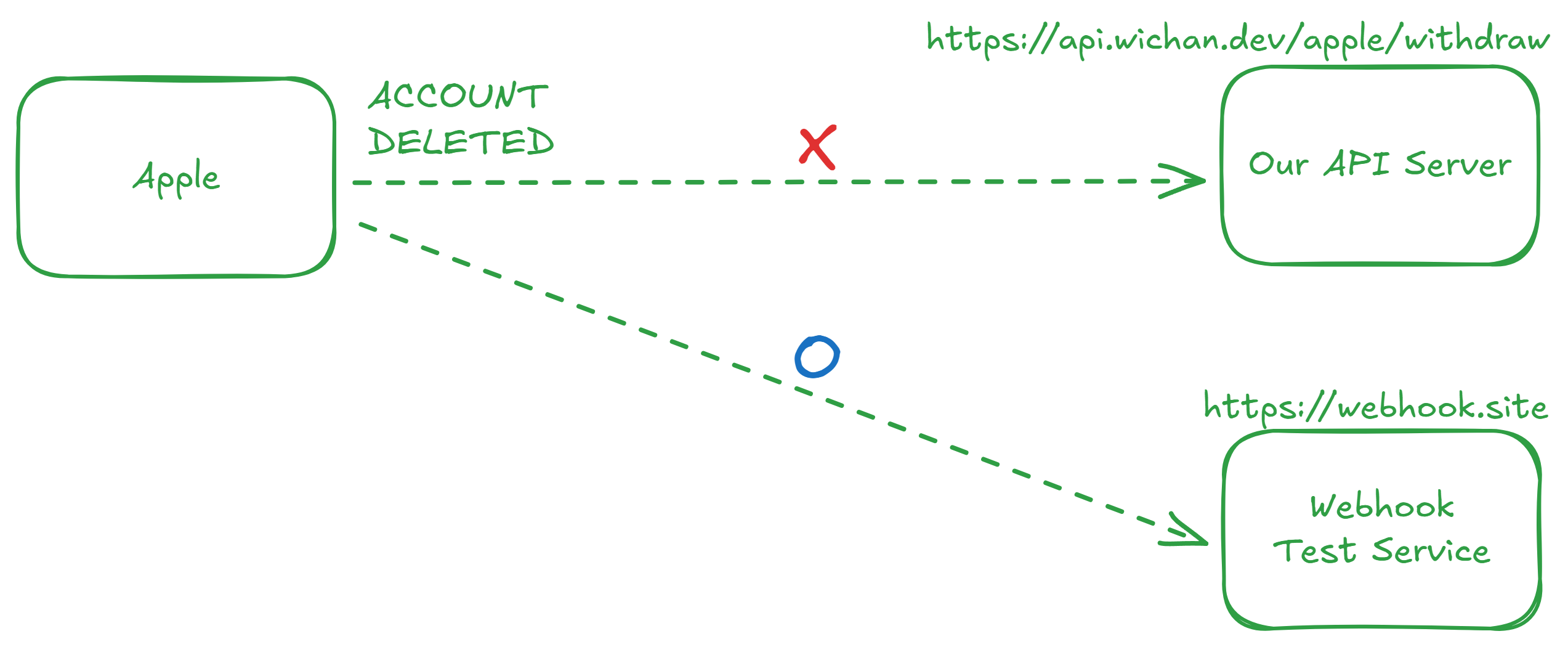
What's the Difference Between the Test Service and Our API?
What was different between our API server and the webhook testing services that caused the communication failure? Suspecting an SSL issue, I checked the site using an SSL Test Tool.
What stood out was that Java was marked in red under the Trusted section.

What does it mean for Java not to trust our certificate?
Understanding the SSL Handshake Process
Trusted indicates whether a client can trust the server's certificate.
To understand this, I've summarized the SSL communication process step-by-step.
1. Preparation Phase
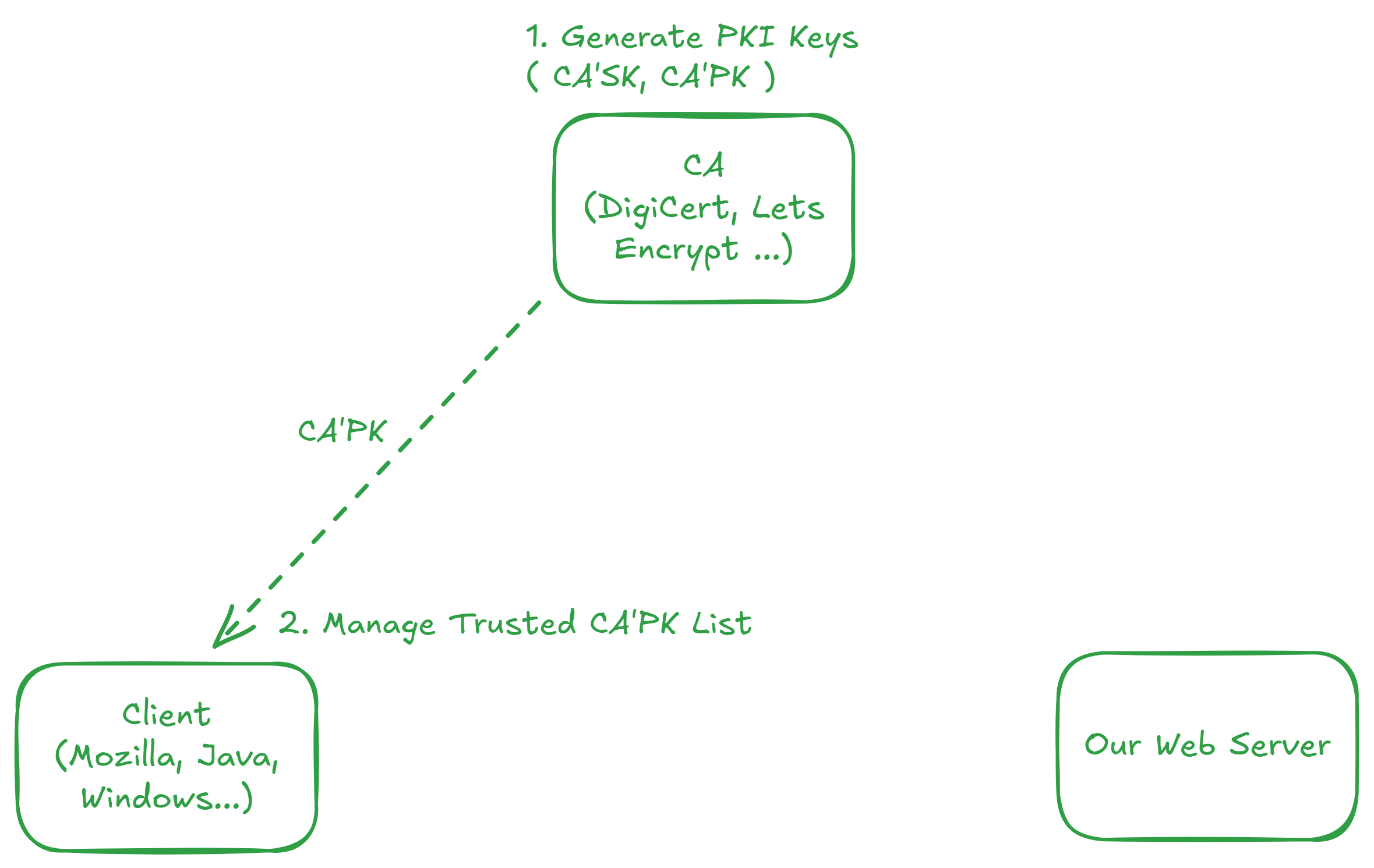
- The CA (Certificate Authority) generates asymmetric keys (Public/Private).
- The client maintains a list of trusted CAs.
- Trust stores managed by OS, Mozilla, Java, etc., can differ.
2. Issuance and Setup Phase
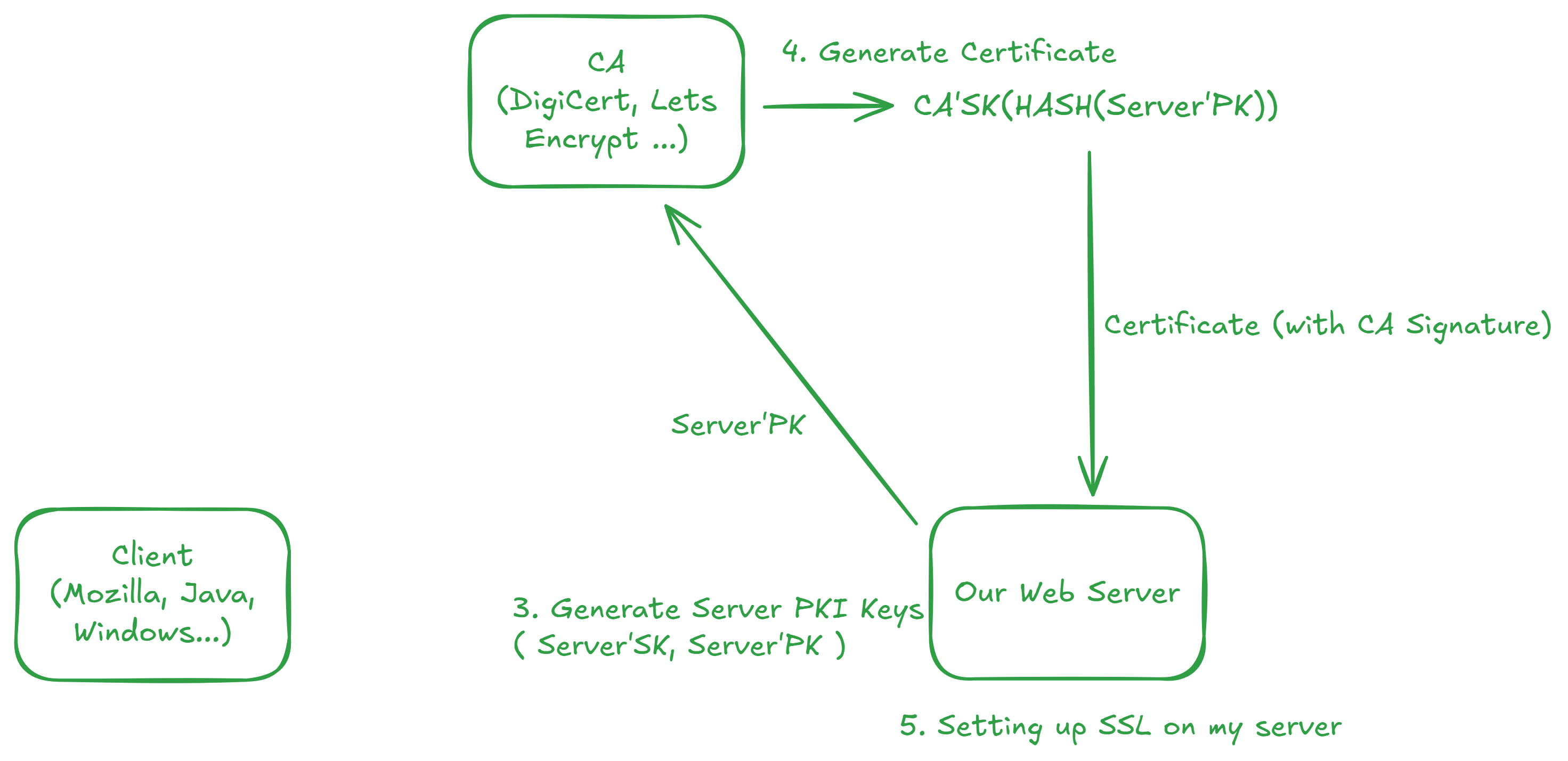
- The server generates asymmetric keys and sends its public key to the CA.
- The CA hashes the server's public key and signs it with its own private key to issue a certificate.
- The server installs the certificate issued by the CA.
Here, the
CA Signaturemeans the value signed by the CA after verifying the server's public key.
3. Client-Server Communication Phase
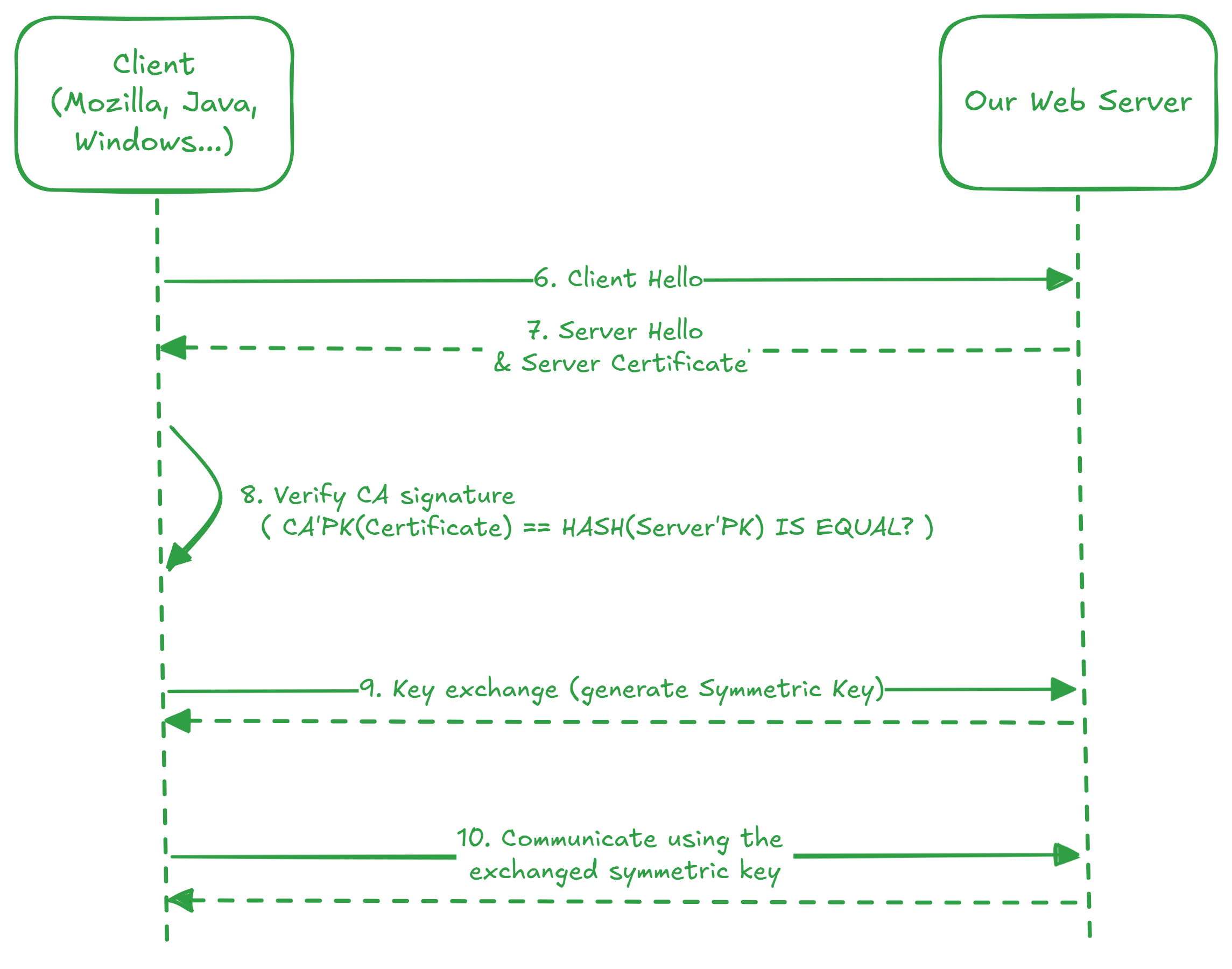
- The client requests an SSL connection from the server.
- The server sends the certificate to the client.
- The client verifies the CA signature on the certificate.
- The client uses the CA's public key stored in its Trust Store.
- Once verified, both sides exchange a symmetric key for communication.
- Data is encrypted and exchanged using the symmetric key.
Root Cause of the Failure
The CA of the certificate I used was not included in the Java Trust Store. The Apple webhook client is developed in Java, and errors occur when it attempts an SSL connection with a CA that Java does not trust.
In other words, from the perspective of the Java client, our server's certificate was untrustworthy.
Summary
- Depending on your choice of CA, some clients may not trust your certificate.
- In this case, the
TuringSignpublic key fromCrossCert (Korea Electronic Certification Authority)was not embedded in Java, causing the failure. - If you might interact with global services or Java environments, it's safer to choose widely used CAs like
DigicertorLet's Encrypt.- As a side note, Let's Encrypt is available for free.